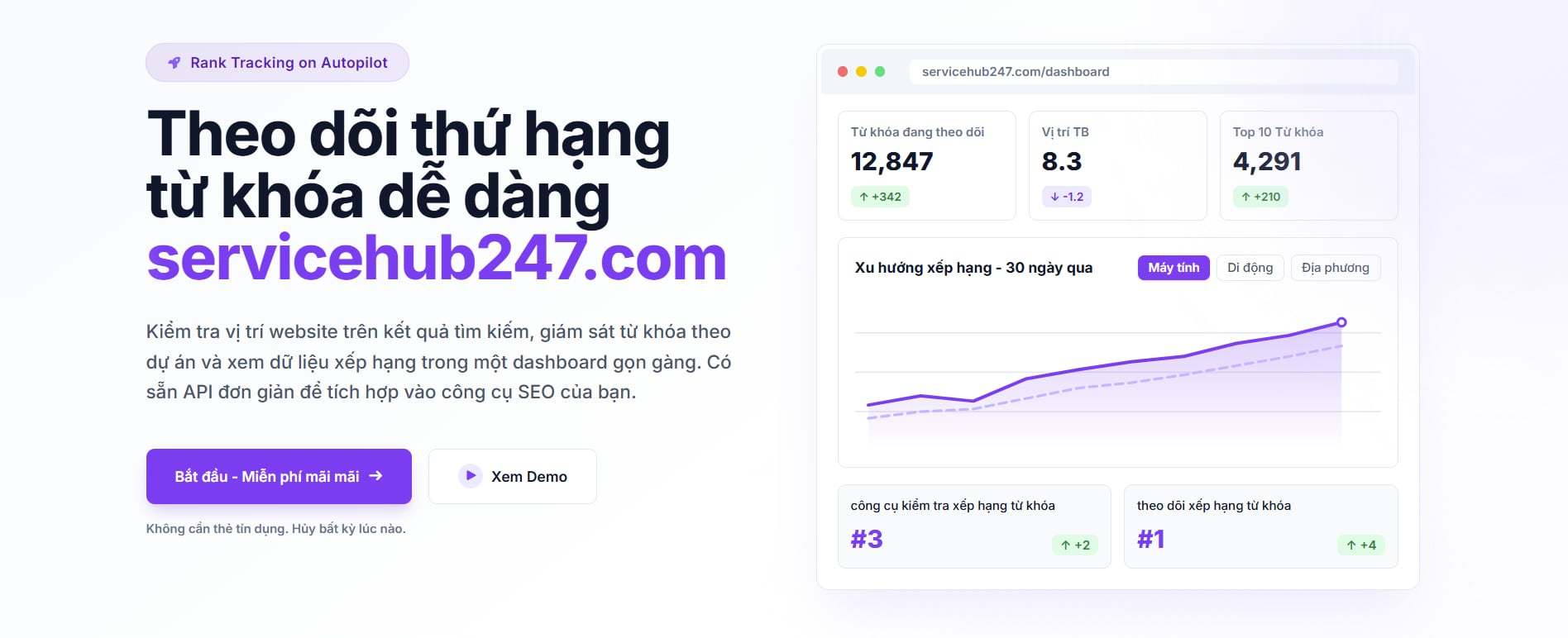
Servicehub247 shows the same six KPIs at two levels: Overview (top of Dashboard, aggregating the whole workspace) and Project card (per-project version + Visibility chart). Same metric names - but the question each level answers differs. And sometimes they disagree. Here's when to trust which.
What's fundamentally different
Overview KPIs: aggregate every keyword across every project you own. Answers "how is portfolio-wide SEO health?".
Project KPIs: only keywords in one specific project. Answers "how is this site/client doing?".
The project card also includes a Visibility chart on the right plotting that project's daily average position.
4 typical use cases
Use case 1: Agency with multiple clients
You manage 5 clients, each = 1 project (60 keywords each). 300 keywords total.
Overview becomes meaningless - 300 unrelated brand keywords mixed. "Top 3 = 18/300" tells you nothing about any specific client.
Project KPIs are your daily tool - each client has its own story. Client A's report reads only project A's KPIs.
When to look at Overview: internal team reporting "how's the agency portfolio this month", internal trend tracking.
Use case 2: Single-brand owner
You own one website, split into 3 projects by product line (e.g. "water filters", "washing machines", "fridges").
Overview = whole-site SEO health, used to judge overall effectiveness.
Project KPIs identify which line is strong/weak. If Overview is good but the "fridges" project is consistently ▼, redirect next week's budget there.
Use case 3: E-commerce by geography
You sell in Vietnam but split by region: vn, us (for overseas Vietnamese), au.
Overview mixes 3 regions - its average visibility is meaningless for any single market.
Project KPIs are the only trustworthy view. Read per-region.
Use case 4: SaaS, multi-market
One English site serving US/UK/AU users. You split projects by region.
Overview goes to CEO/board reports - "how's the overall English business".
Project KPIs go to per-market marketing teams.
When the two levels disagree
This is the situation that panics teams but is actually informative:
Overview ▲, one project clearly ▼
The portfolio total is positive, but one project is dragging. Without Project KPIs, you'd miss this hidden problem. This is exactly why Project KPIs exist - to surface isolated issues.
Action: open the ▼ project → check Visibility chart over 30 days → identify the specific cause (deploy, competitor, lost index).
Overview ▼, every project looks fine
The math doesn't add up? Two possibilities:
- One large project (by keyword count) is mildly ▼ but below your notice threshold. Sort projects by keyword count desc - the top one is your culprit.
- Many projects each ▼ slightly (e.g. −1 each × 5 = −5 total) - invisible per-project but cumulative at Overview.
Visibility chart only exists at project level
Note: Overview has no Visibility chart. Why? Visibility is an average position - mixing different keyword sets in one average destroys meaning.
If you want a portfolio-wide trend, read Overview KPIs across multiple timeframes (week, month, 6 months). There's no single line for it.
Recommended weekly reading order
- Open Dashboard, set timeframe to This week.
- Glance at Overview for 30 seconds - know the totals.
- Open each Project in priority order (revenue / key clients). Read 6 KPIs + Visibility chart per project in 1–2 minutes.
- Note any project whose delta diverges from the Overview trend - that's the most insightful finding of the read.